
Calendar Alarm
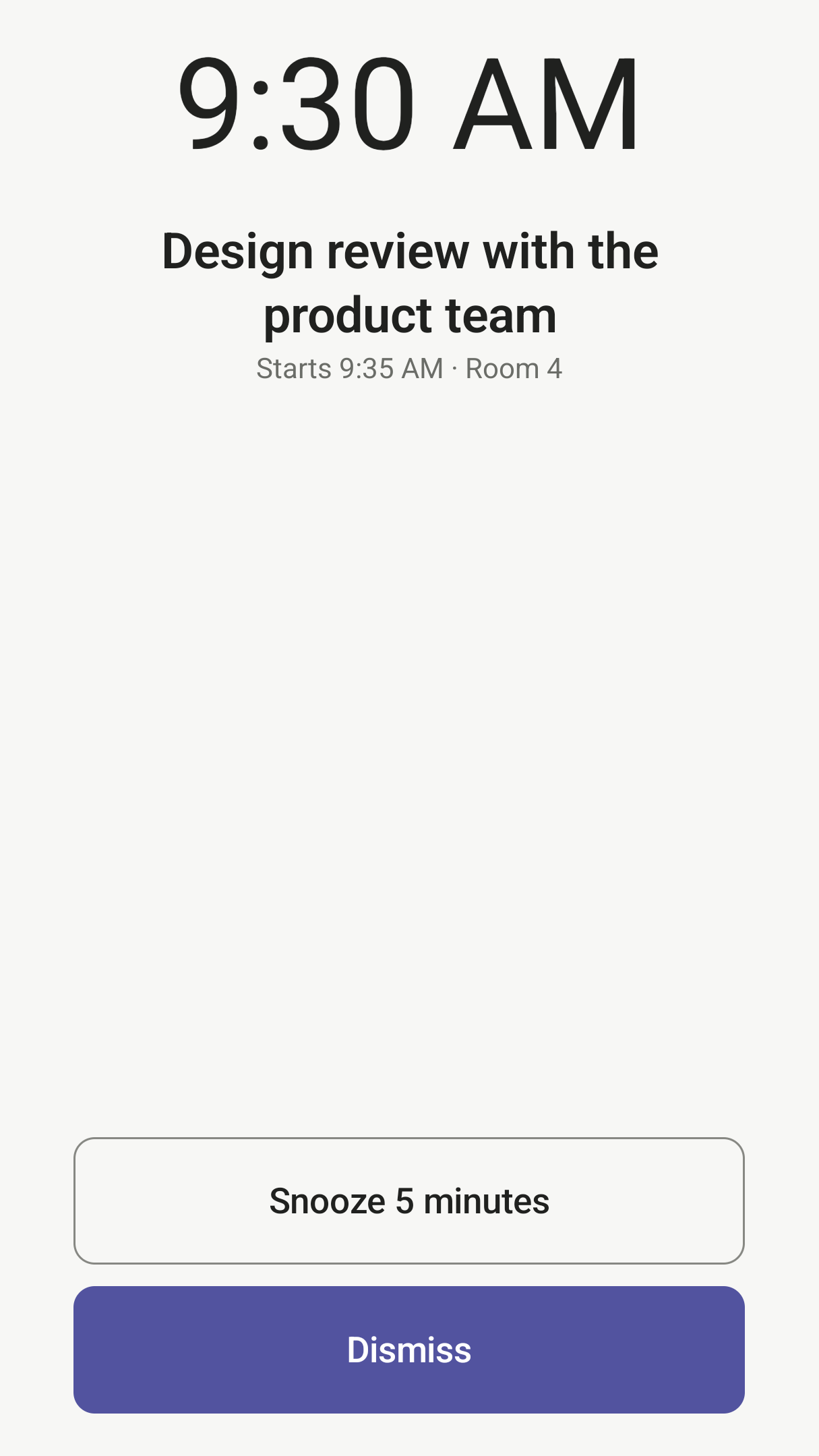
Real alarms for your calendar events. Before each meeting, appointment, class or school pickup, it rings like an alarm clock, over the lock screen, even when the app is closed.
Screens
What it does
-
An alarm, not a notification
It rings until you snooze or dismiss it, with large buttons you can reach with your thumb. Events that start at the same time ring together, as one alarm.
-
Set it up once
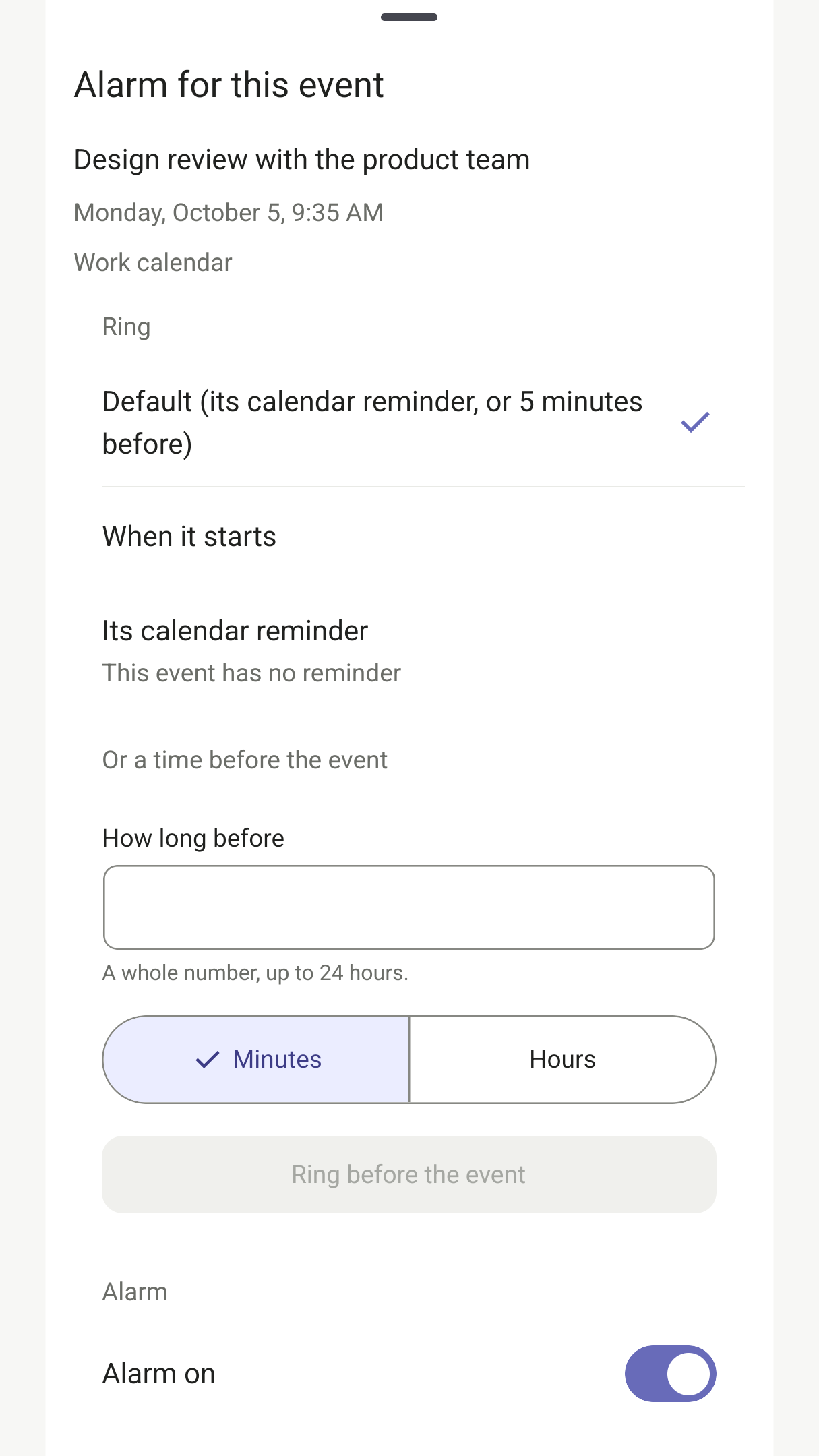
Choose which calendars ring and one default time, such as 5 minutes or an hour before. Give any event its own time, or turn its alarm off, for just this one or every time it repeats.
-
Wake up for your first meeting
Set a work calendar to ring only for each day's first event. On days that start with a 4am call, it wakes you; on other days, your usual alarm does.
-
Rules that fit how you work
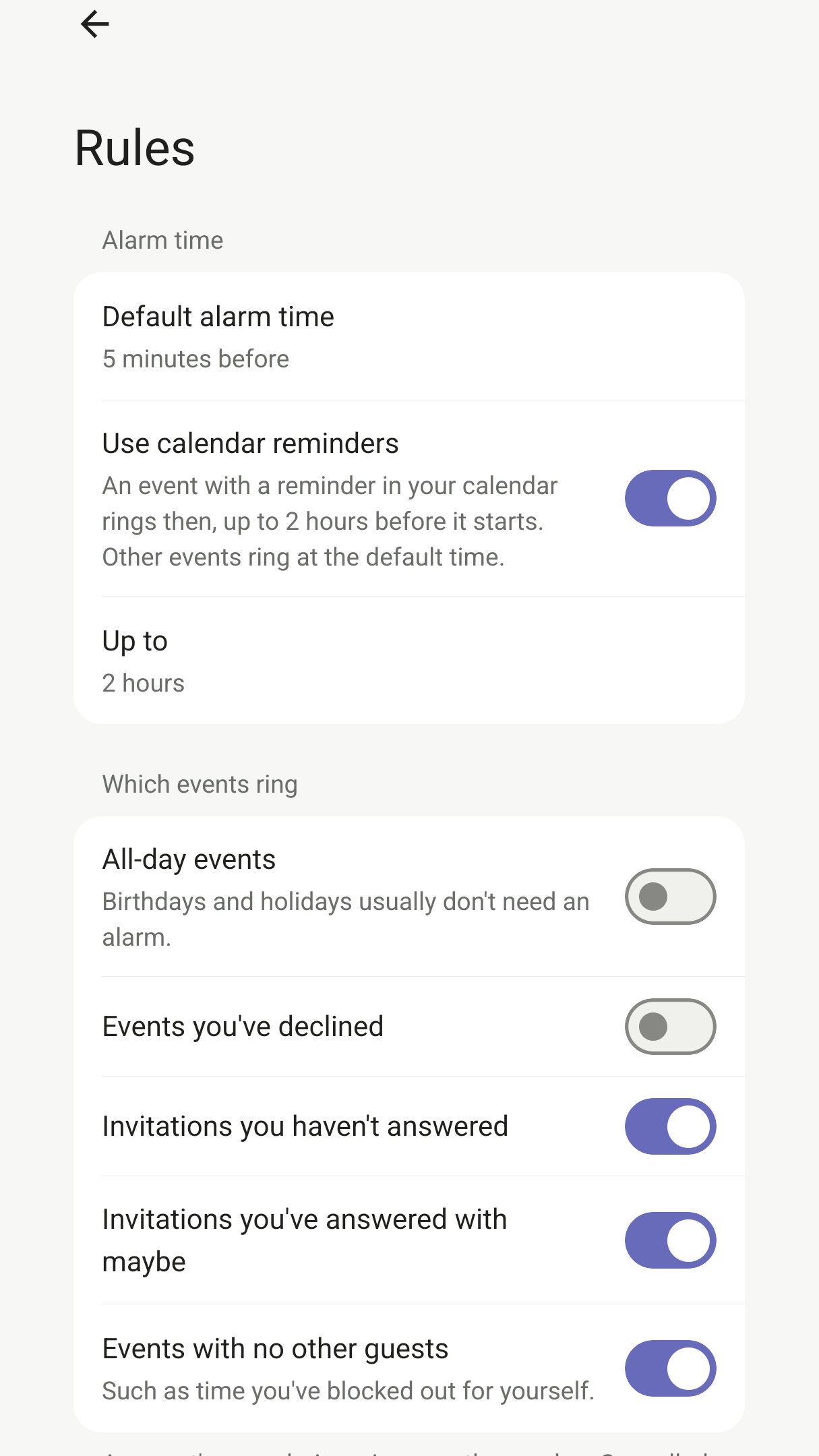
Skip events you've declined, invitations you haven't answered, focus time with no other guests, and anything in your quiet hours. Every event shows why it rings, or why it doesn't.
Questions
Does it ring if the app is closed or the phone is locked?
Yes. Alarms are set with Android's alarm-clock system, which battery saving can't delay, and they ring over the lock screen. After a restart they ring even before you unlock the phone.
Which calendars does it work with?
Any calendar that shows up in your phone's own calendar, such as your Google account or a work account added in your phone's settings. If you use the Outlook app, turn on its calendar sync so your events reach the phone's calendar.
Can I get an alarm for my first meeting only?
Yes. In Rules, set a calendar to ring only for each day's first event. Other calendars, such as a family one, still ring for every event.
Will it ring for meetings I've declined or haven't answered?
Declined events don't ring unless you choose. Invitations you haven't answered, or have answered with maybe, ring by default, and you can turn either off in Rules.
What about Do Not Disturb and silent mode?
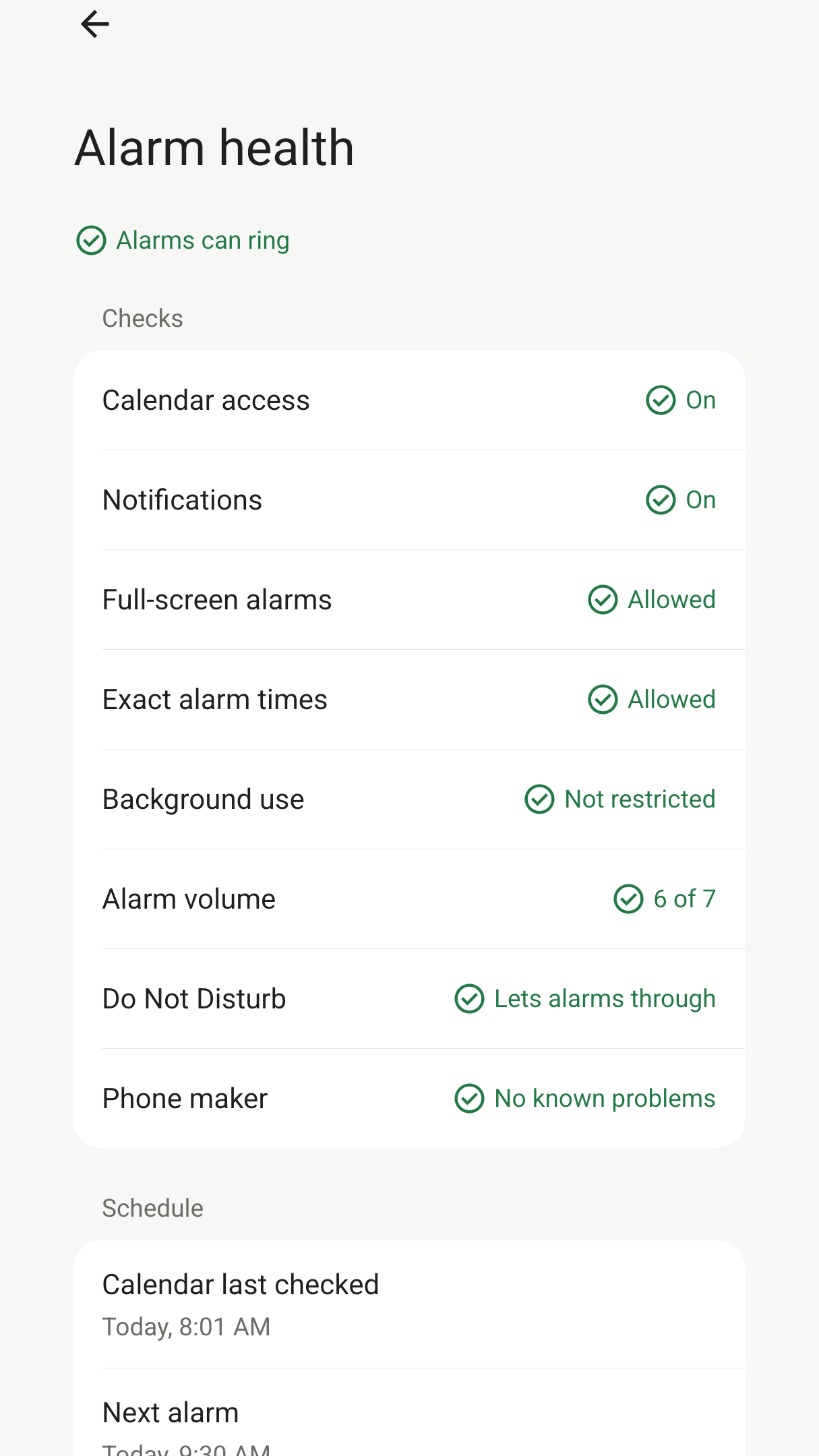
Alarms play as alarms, so your phone's alarm volume and Do Not Disturb's setting for alarms apply. Alarm health warns you if your settings would silence them.
My phone maker is known for stopping apps in the background. Will it still work?
Alarm health checks for Android's battery restrictions and gives advice for phone makers known to stop background apps, with a button that opens the right settings. You can also test an alarm in one minute.
Does it need an account or the internet?
There is no account or sign-in. The app reads your calendar where it is and never copies, changes or uploads it, and this version has no internet access at all. A coming update adds a banner ad, and goes online only for the ad and the purchase that removes it; nothing from your calendar is ever sent with them. The privacy policy has the details.
What does it cost, and what does it run on?
Every feature is free, and this version has no ads. A coming update adds one banner ad at the bottom of the home screen, never on the alarm itself, with a one-time purchase to remove it. It runs on Android 13 or later.
Questions and feedback
Write to info@gladloom.com.